

Straight answers · 1 min
How to cut no-shows (without hounding your customers)
No-shows quietly cost appointment businesses money every week. Here's what actually reduces them — and how to make it run on autopilot.
Straight answers · Updated 28 September 2026
Why no-shows happen
Most no-shows aren't because people are rude. They're usually due to forgetfulness and life's busy moments. Without an easy reminder or a simple way to reschedule, appointments are missed. Solve these issues, and you'll see fewer empty chairs.
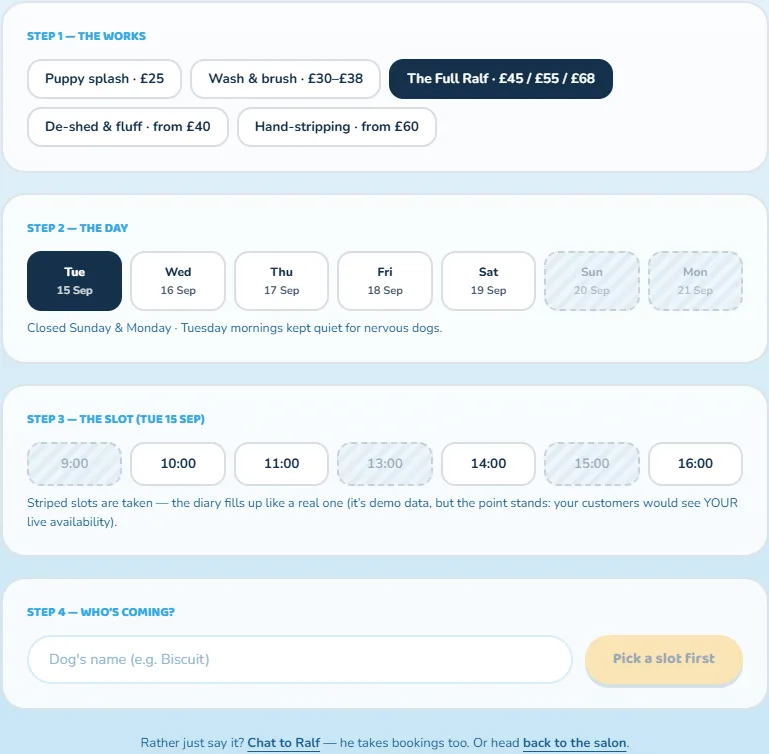
What actually reduces them
Timely reminders
A friendly text or email a day or two before, and again on the morning.
One-tap rebooking
Make moving an appointment effortless, so people reschedule instead of vanishing.
A waitlist
So a cancelled slot gets filled automatically instead of sitting empty.
Confirmations
A quick 'reply YES to confirm' filters out the ones who've already forgotten.
Deposits for high-value slots
A small amount to hold the booking focuses the mind.
Make it run itself
Doing all this by hand is a full-time job. That's where AI helps. Reminders, confirmations, rebooking and the waitlist can run automatically, day and night. It fits with the booking system you already use. Set it up once, and it quietly manages your diary.
A realistic first step
You don't need to do everything at once. Start with automatic reminders and easy rebooking. That alone tends to make the biggest difference. Add a waitlist and confirmations once you see the benefits. If you'd like to see how this works for your business, have a chat with Katalis (she's on every page). She'll tailor it to how you take bookings.
Free tool · runs right here
Free Business Score
See how your business looks online — findability, website health, AI visibility and more — with the few fixes worth doing first.
No sign-up · instant · it’s me that runs it — the same tool, live on this site.
See exactly where your business stands — free
Get your free Business Score: an honest, instant read on how your online presence looks to customers and search engines, and the fixes worth doing first. No sign-up to see your score.
Get your free Business ScorePrefer to just ask? Chat with Katalis · More from the blog